
Case Study
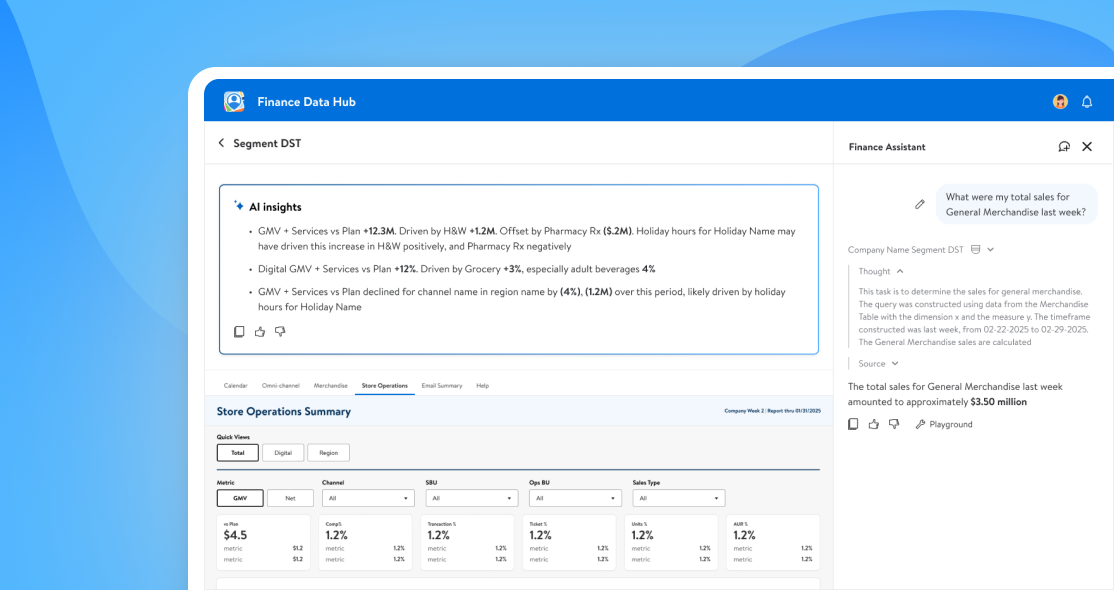
FDH x GenAI was our first pass integration of generative AI into our finance products. It served two goals.
1.) Assisting users of FDH in both web and mobile to quickly pull key insights & data from reports
2.) Work as a proof of concept / exploration of how and where AI could be integrated into our internal systems
We didn't want to just throw AI at a platfrom to say we did it - we needed to find real user painpoints we could address, and areas in our current app where there was quality of life improvements to be made. Our team picked this project up while FDH MVP2 was in early stages and took user feedback from MVP1 into consideration, testing key concepts over a 6 month period

What we built
The goal was to be intentional — to design an assistant that actually helped analysts and leadership get answers faster, not just chase the hype. That meant building Finance Assistant, a chat agent trained on individual reports, and AI Insights, which surfaced explanations inside KPI cards and inside our drill down and wider report level views
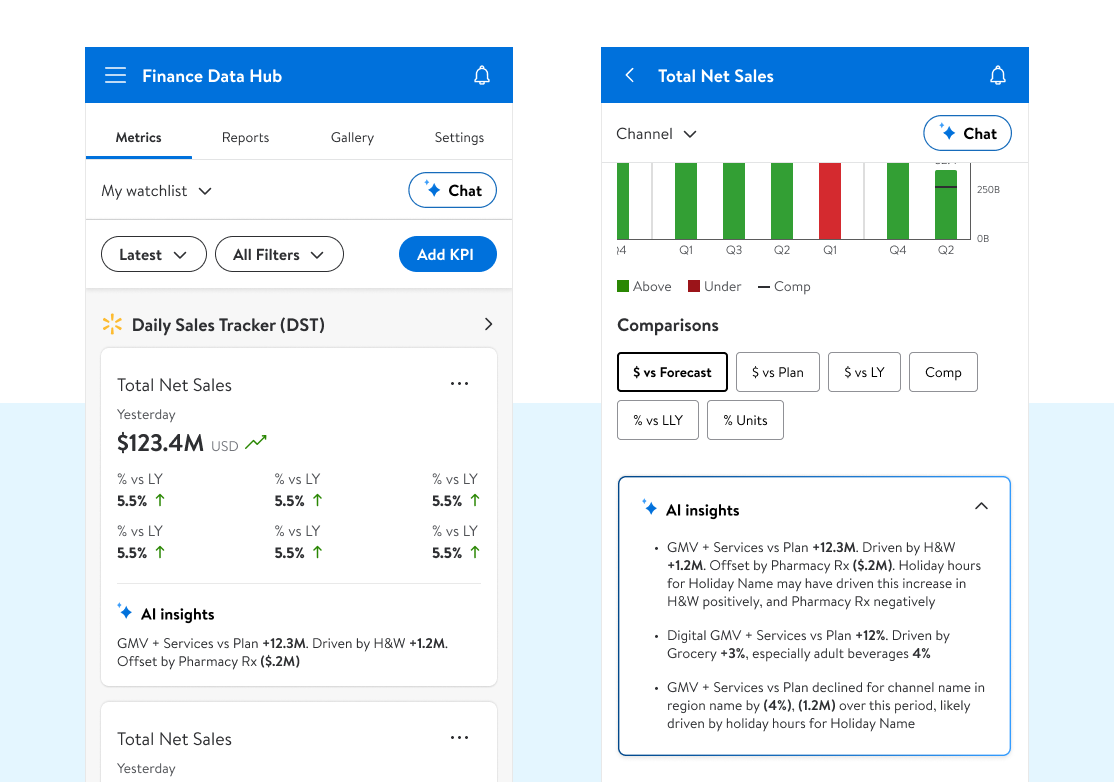
Early iterations looked at pulling insights from the base level report and feeding them up thru the different granular views in easily digestible snapshots. This gave users a quick glance at what was moving metrics
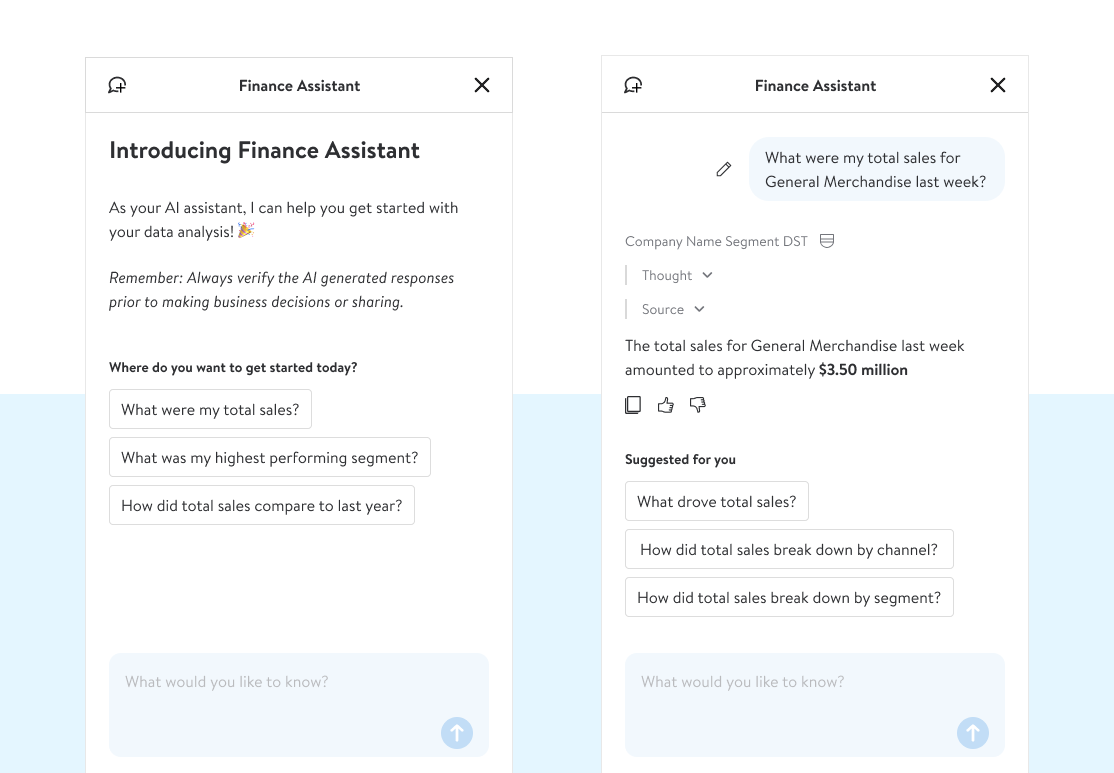
Chat quickly surfaced as a must-have feature — pushed equally hard by both users and business leadership. Early testing showed that users didn't always know how to approach it at first, so we built out report driven prompts to help start engagment and encourage training thru interaction
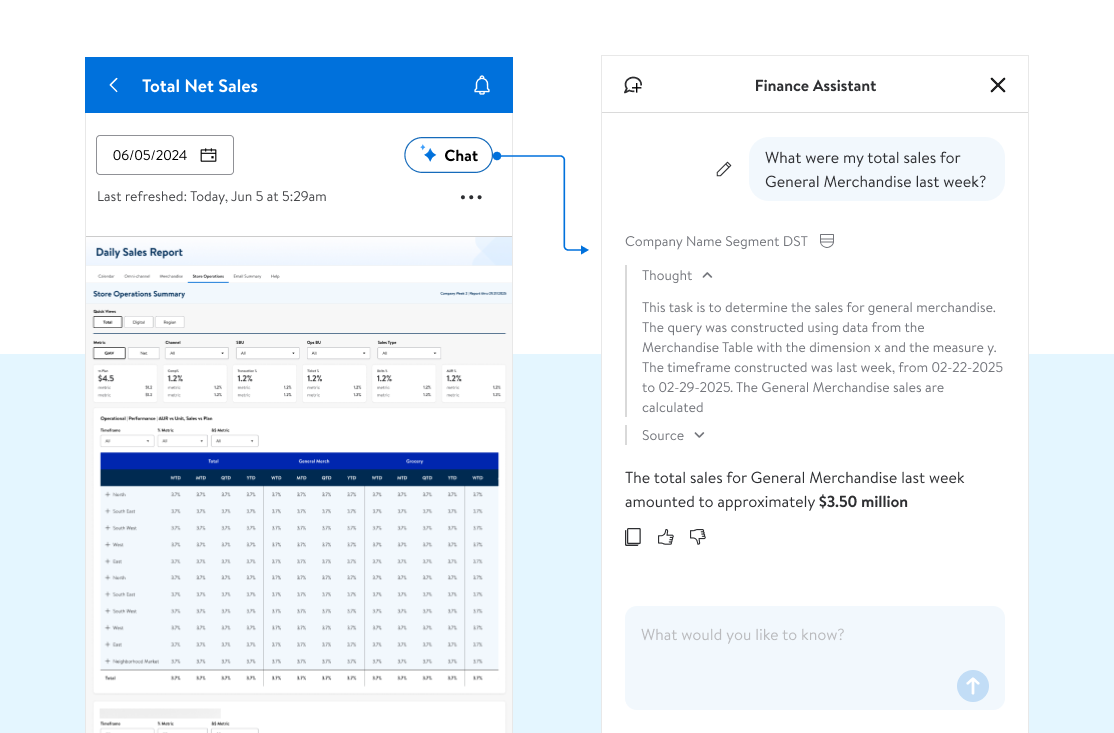
Chat was especially usefull at the L4/Report level where the Power Bi reports where almost useless at mobile. Instead of trying to dig around on different touchpoints and zooming in to user slicers, we could quickly query the report in natural language and get answers while on the go
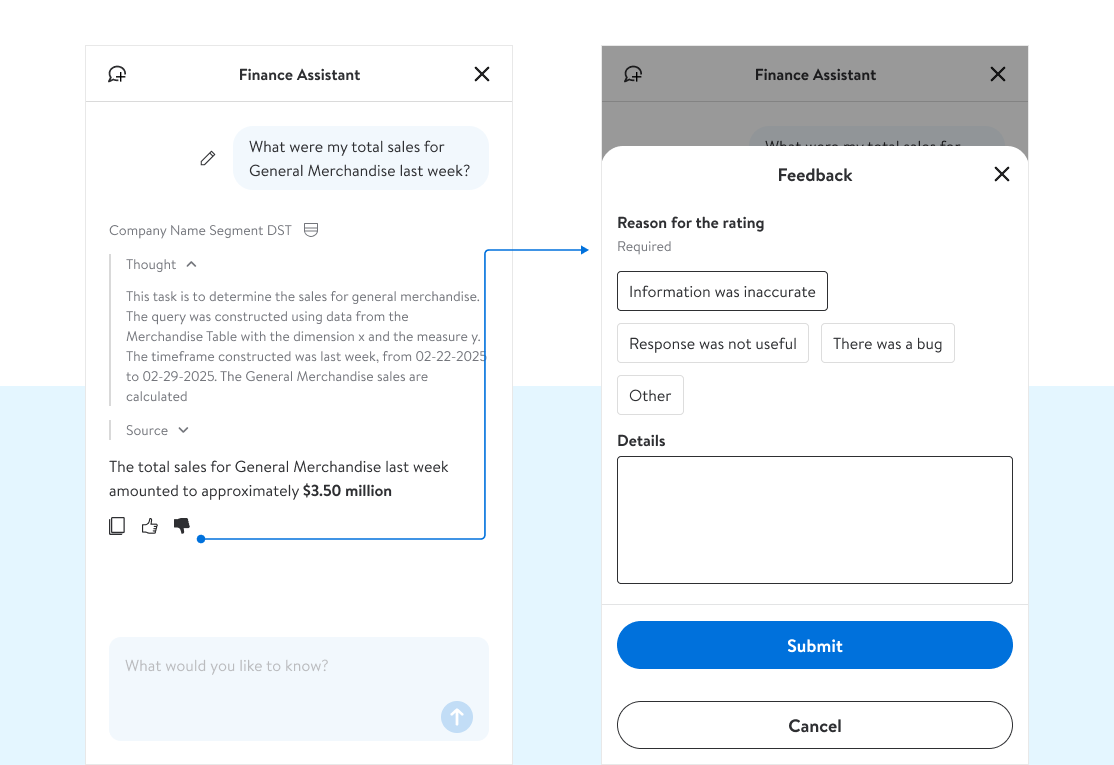
Each report had a specific agent, and each agent took a lot of time and effort ( avg 40 days ) to train. Capturing feedback at the user level helped us reinforce or update the model to give more useful, accurate replies
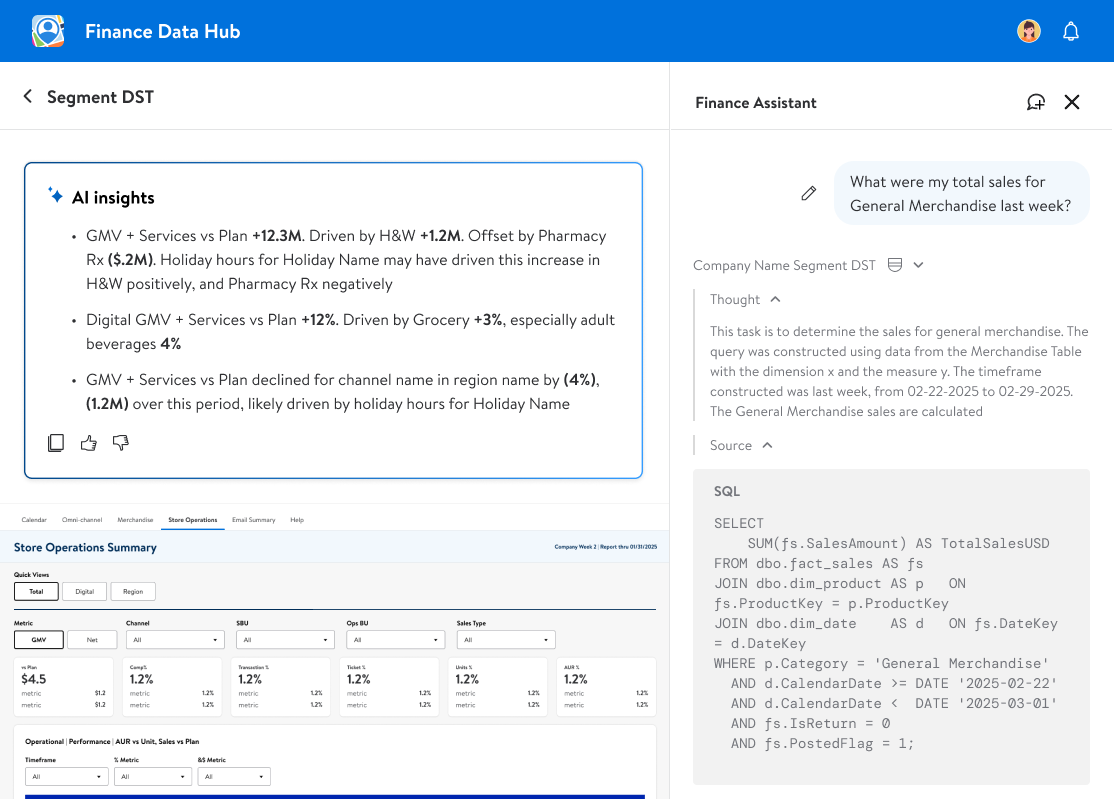
There was an inherent lack of trust to begin with, so we included both a 'reasoning/train of thought' to show up front WHY the answer they received showed, and a 'source/sql' query that surfaced exactly what our agent did to pull the answer it did
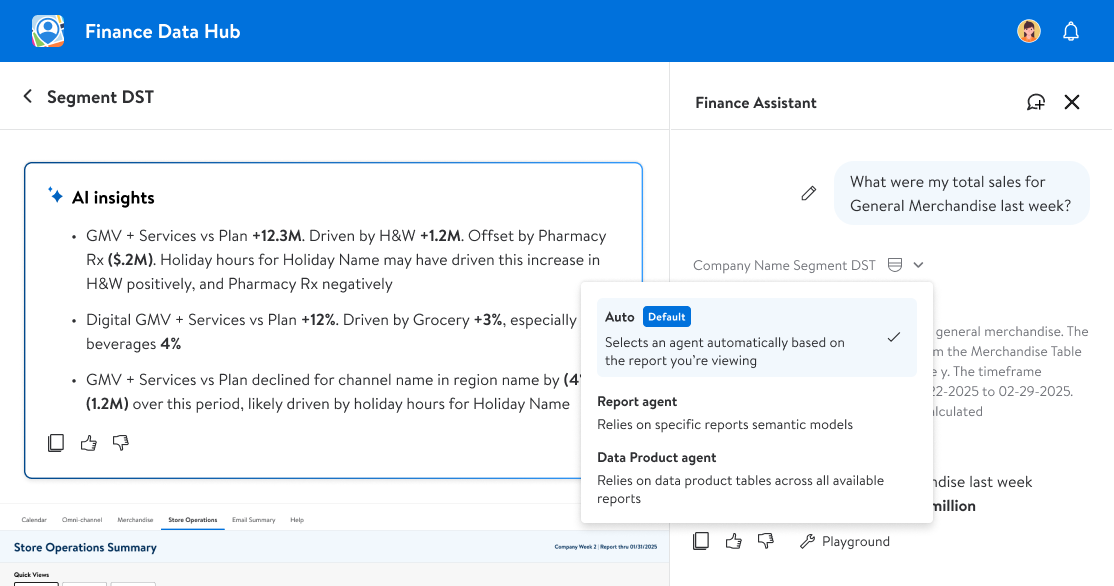
To start off, each report had its own agent that was trained on just that data set. As we grew our model, we were able to start adding additional models that were built to a more specific task & that could query multiple different reports for a broader comparison and deeper look into the numbers
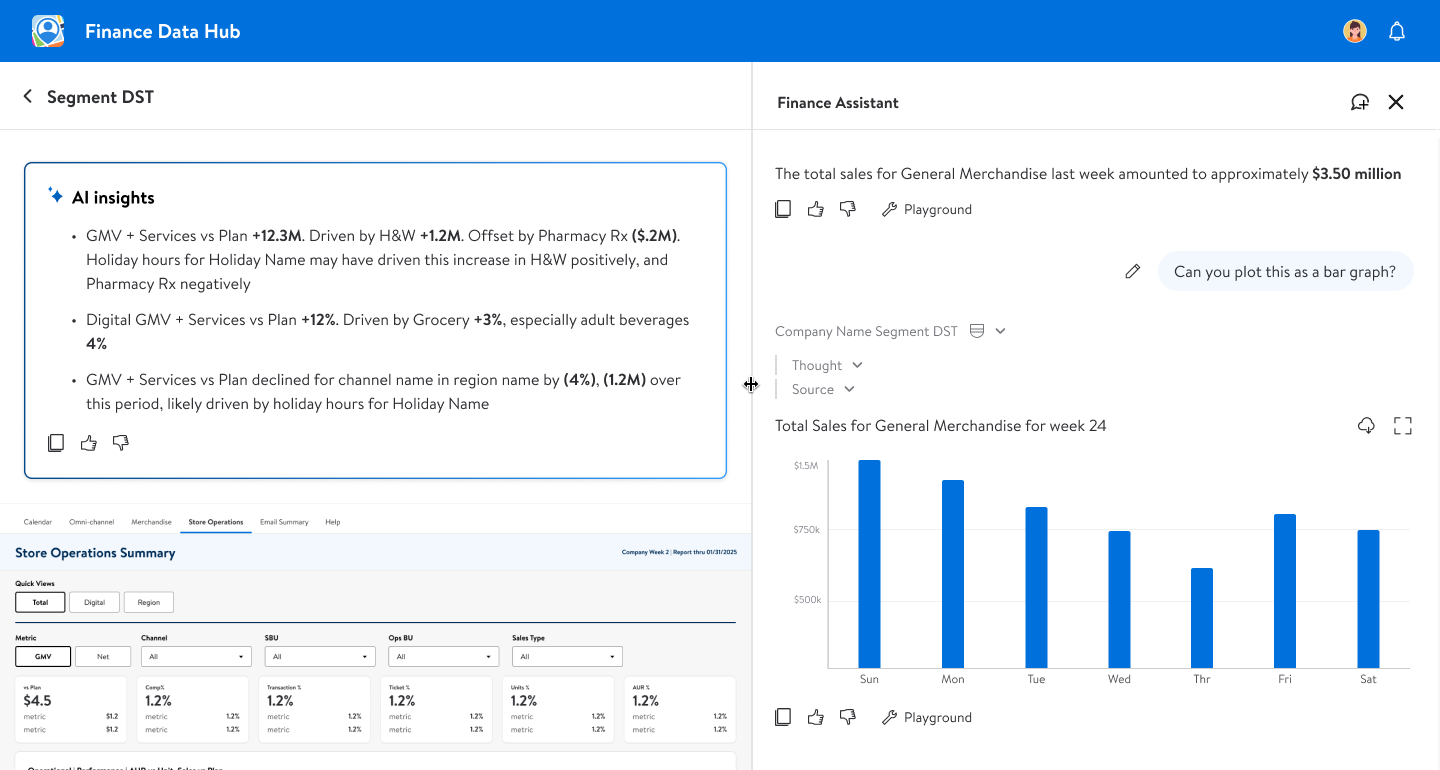
The ability to generate data viz from the underlying report was a huge time saver for our associates. This was a frequently requested feature that took some fine tuning, but would eventually allow for users to bypass having to manually create elements for powerpoint decks and saved considerable time
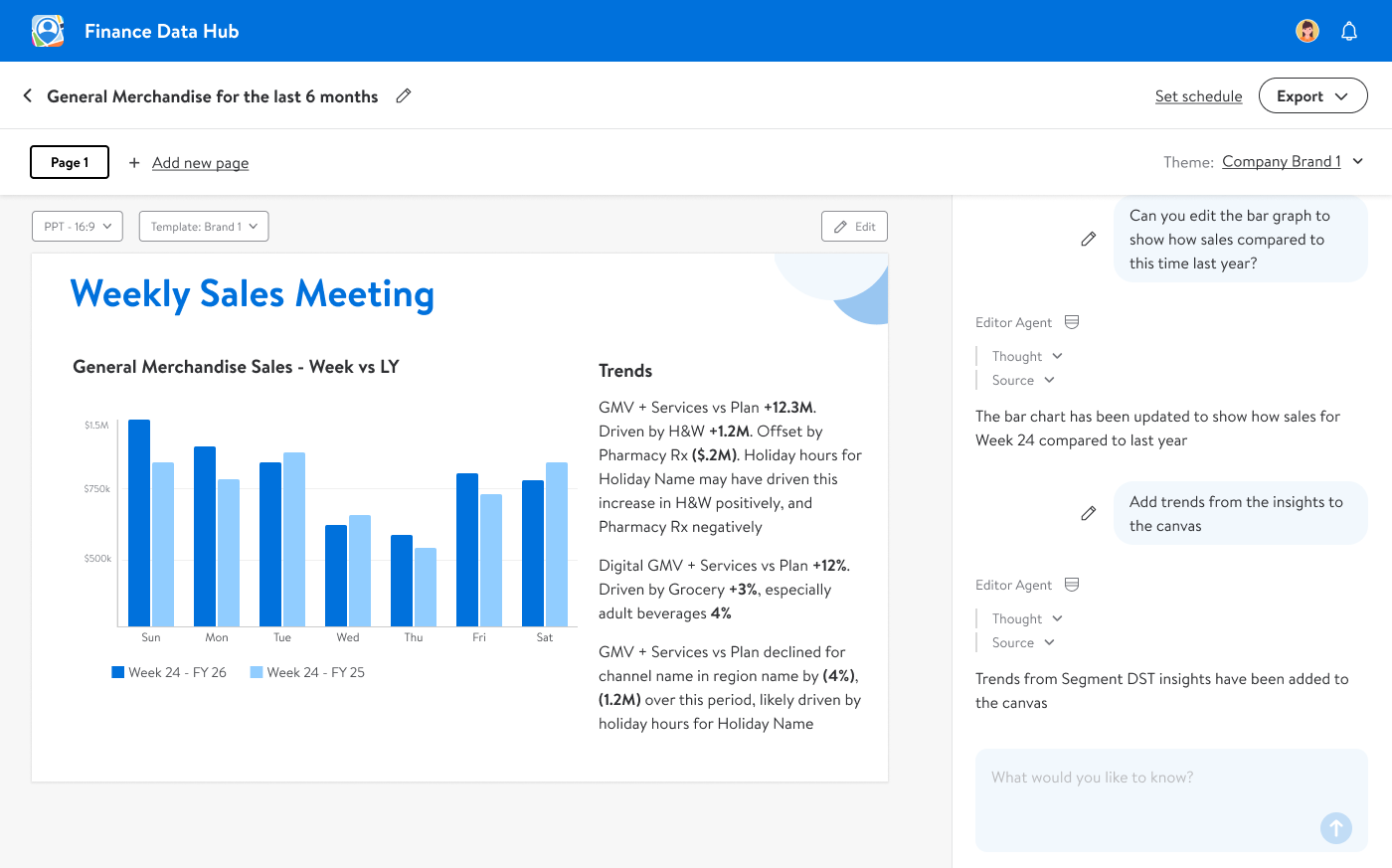
Building off the data viz creation, we started to build out a 'Canvas' area where users could save/edit elements they had created into a powerpoint template - they could requery the agent to adjust data inputs, add a narative and even save a template and run it against a cadence